
Thought Leadership

    Set It and Scale It: Why Recurring Campaigns Need Automation

    Set It and Scale It: Why Recurring Campaigns Need Automation

    1024 576 Nick Merola

    In industries like gaming, hospitality, and loyalty marketing, one thing is always true: your campaigns don’t happen once—they happen over and over again.

    New member offers. Monthly promotions. Reactivation campaigns.

    They’re the backbone of your marketing strategy. But if you’re rebuilding every campaign from scratch each time, you’re not scaling—you’re slowing yourself down.

    That’s where automation changes everything.


    The Problem with “Starting Over” Every Time

    Let’s look at what typically happens with recurring direct mail campaigns:

    • Creative is rebuilt from scratch
    • Offers are manually updated
    • Proofs go back and forth for days
    • Production timelines stretch longer than they should

    By the time everything is approved and sent, the moment has already passed—or worse, the next campaign is already due.

    It’s not just inefficient. It’s expensive.

    Every extra step adds time, labor, and opportunity cost. And in fast-moving environments like casinos and loyalty-driven businesses, timing is everything.


    Recurring Campaigns Deserve a Smarter System

    Recurring campaigns aren’t “new” campaigns—they’re repeatable systems.

    Think about it:

    • Your new member offer structure stays consistent
    • Your monthly promo format rarely changes
    • Your reactivation messaging follows a pattern

    So why rebuild what already works?

    The smarter approach is simple: set the system once, then scale it.


    Introducing a Better Way: EZ & Perfect

    Perfect Communications developed EZ & Perfect to do exactly that—turn recurring campaigns into streamlined, repeatable workflows.

    Instead of starting from zero every time, EZ & Perfect allows you to:

    • Build templated campaigns once
    • Update only what matters (offers, dates, messaging)
    • Generate proofs in as little as 30 minutes
    • Push campaigns into the mailstream within 24 hours of approval

    It’s not just faster—it’s fundamentally smarter.


    How It Works for Your Core Campaigns

    1. New Member Offers

    Your acquisition campaigns should never feel delayed.

    With EZ & Perfect:

    • Your design and structure stay locked in
    • Only the offer or incentive changes
    • Campaigns launch quickly to capture new sign-ups in real time

    No bottlenecks. No missed opportunities.


    2. Monthly Promotions

    Monthly campaigns are predictable—but your process shouldn’t be painful.

    Instead of rebuilding:

    • Swap in new monthly themes or offers
    • Update key details
    • Approve and deploy

    What used to take days can now happen in hours.


    3. Reactivation Campaigns

    Timing is critical when re-engaging inactive players or customers.

    With a templated system:

    • You can trigger campaigns faster
    • Stay relevant to your audience
    • Keep your brand consistent

    Because reactivation only works if you reach people at the right moment.


    Why Automation Wins

    Automation isn’t about replacing creativity—it’s about removing friction.

    EZ & Perfect eliminates the repetitive, manual steps that slow teams down:

    • No more chasing proofs
    • No more reworking the same layouts
    • No more unnecessary delays

    Instead, your team can focus on what actually drives results:

    • Strategy
    • Offers
    • Audience targeting

    And that’s where real growth happens.


    Speed Is the Competitive Advantage

    Today’s marketing landscape moves fast. Your direct mail should too.

    According to Perfect Communications, EZ & Perfect was built around a simple idea:

    Print should move at the speed of your business.

    When you can:

    • Turn around proofs in minutes
    • Launch campaigns in a day
    • Scale without adding workload

    You’re no longer reacting—you’re leading.


    Set It Once. Scale It Forever.

    Recurring campaigns shouldn’t feel like a constant reset.

    With EZ & Perfect, they become a system:

    • Built once
    • Optimized over time
    • Scaled effortlessly

    Because the goal isn’t just to run campaigns— it’s to run them better, faster, and more efficiently every single time.


    Final Thought

    If your team is still rebuilding campaigns month after month, it’s time to rethink the process.

    Automation isn’t the future of direct mail—it’s the present.

    And with EZ & Perfect, it’s already working.
    EZ & Perfect: The Smarter Way to Automate Direct Mail Campaigns

    EZ & Perfect: The Smarter Way to Automate Direct Mail Campaigns

    1024 576 Nick Merola

    In today’s fast-moving marketing world, timing is everything. Campaigns change quickly, offers evolve, and audiences expect relevant communication right when it matters most.

    Yet for many organizations, traditional direct mail production can be slow and complicated. Multiple rounds of revisions, back-and-forth proofing, and production delays can turn a simple campaign into a logistical challenge.

    That’s exactly why EZ & Perfect was created.

    Developed by Perfect Communications, EZ & Perfect is a streamlined automation platform designed to make recurring direct mail programs faster, easier, and more efficient—without sacrificing quality or consistency.

    What Is EZ & Perfect?

    EZ & Perfect transforms the traditional print workflow into a simple, automated process built for modern marketing teams.

    Instead of recreating mailers from scratch every time you launch a campaign, EZ & Perfect uses standardized templates combined with automated proofing and data integration. The result is a repeatable system that allows campaigns to launch faster while maintaining brand consistency.

    This approach is ideal for recurring campaigns such as:

    • New member welcome mailers
    • Reactivation offers
    • Bounce-back promotions
    • Monthly or seasonal direct mail programs

    Because the framework is already built, marketers only need to update offers, images, or customer data—saving time and reducing the risk of errors.

    How EZ & Perfect Works

    EZ & Perfect simplifies the direct mail process into four streamlined steps:

    1. Start with a Standard Template Choose from professionally designed postcard or self-mailer templates that keep your branding consistent across campaigns.

    2. Upload Your Data Import your most recent customer or prospect list directly into the system.

    3. Automated Proofing Within approximately 20–30 minutes, your PDF proofs are generated and ready for review online—eliminating long revision cycles.

    4. Direct-to-Print Production Once approved, your project moves straight into production, accelerating the timeline from concept to mailbox.

    Why Speed Matters in Direct Mail

    Speed has become one of the biggest competitive advantages in marketing. Campaigns that reach customers at the right moment outperform those delayed by slow production processes.

    With EZ & Perfect, marketers can:

    • Respond quickly to changing market conditions
    • Launch time-sensitive promotions
    • Maintain a consistent communication schedule
    • Reduce delays in production workflows

    In fact, streamlined automation can allow mailers to enter the USPS mailstream within 24 hours of approval—dramatically faster than traditional production timelines.

    Built for Modern Marketing Teams

    Many marketing departments today operate with lean teams and tight timelines. EZ & Perfect functions almost like an extension of your marketing team by automating many of the manual tasks that slow campaigns down.

    That means your team can spend less time managing production and more time focusing on strategy, creativity, and results.

    The platform helps deliver:

    • Faster speed-to-market
    • Greater operational efficiency
    • Reduced production errors
    • Reliable brand consistency

    Print That Moves at the Speed of Marketing

    At Perfect Communications, innovation has always been at the heart of what we do. As a family-owned company with decades of experience in print and marketing communications, we continually invest in technology that helps our clients move faster and communicate more effectively.

    EZ & Perfect is a natural extension of that commitment—combining automation, data integration, and high-quality print production to deliver a smarter direct mail solution.

    Because when marketing moves fast, your print partner should move even faster.

    Ready to simplify your next direct mail campaign? Connect with Dan today to learn how EZ & Perfect can help your team launch campaigns faster, easier, and smarter. https://perfectcommunications.com/about-perfect/team/dan-dykstra/

    Offset vs Digital Printing

    Offset vs. Digital Printing: How to Choose the Right Method for Your Project

    1024 576 Nick Merola

    If you’ve ever submitted a print project and wondered whether you made the right call on printing method, you’re not alone. Offset and digital printing are both excellent options — but they’re built for different situations. Choosing the wrong one can mean paying more than you need to, waiting longer than expected, or ending up with a finished product that doesn’t match your vision.

    The good news: once you understand how each method works and what it’s best suited for, the decision gets a lot simpler. Here’s everything you need to know.

    What Is Offset Printing?

    Offset printing is the traditional workhorse of the print industry. In this process, ink is transferred from a metal plate to a rubber blanket, which then “offsets” the image onto the paper. Each color in your design requires its own plate, which is why setup takes more time and cost upfront.

    Once those plates are made, offset becomes remarkably efficient at scale. The per-unit cost drops significantly as quantity increases, and the color consistency is hard to beat — especially for projects requiring exact Pantone matching or specialty inks like metallics.

    Offset printing is the right call when you need high-volume runs (typically 5,000+ pieces), exact Pantone color matching, premium materials like annual reports or luxury brochures, specialty finishes like foil or spot UV, or packaging where color uniformity matters across thousands of pieces.

    What Is Digital Printing?

    Digital printing sends your file directly to the press — no plates required. At Perfect Communications, we run Canon’s latest inkjet technology, including the Canon ProStream for high-volume continuous-feed output and the Canon Vario Print ix3200 for cut-sheet flexibility. The result is sharp, vibrant print that rivals offset quality, produced with the speed modern marketing demands.

    Because there are no plates to make, digital dramatically reduces setup time and cost. You can print exactly what you need, when you need it, with no minimums. And when it comes to personalization, digital has a clear edge that offset simply can’t match.

    Digital printing is the right call when you need short runs (5,000 pieces), variable data printing where every piece is personalized, tight turnarounds, campaign testing before a larger run, or direct mail with individualized messaging.

    How They Compare

    Here’s a plain-language breakdown of how offset and digital stack up:

    •       Cost per unit: Offset drops significantly with volume. Digital stays relatively consistent at any quantity.

    •       Setup cost: Offset requires plates, so upfront cost is higher. Digital has little to no setup cost.

    •       Turnaround: Digital is faster — often 1–2 business days. Offset takes longer due to plate production.

    •       Color accuracy: Both are excellent. Offset allows Pantone matching; digital uses high-precision CMYK inkjet.

    •       Personalization: Digital wins here. Variable data printing isn’t practical with offset.

    •       Minimums: Offset usually requires 5,000+ pieces. Digital has no minimum.

    •       Specialty finishes: Both support premium finishing. Offset has the widest range natively; digital can be enhanced with tools like our Scodix press.

    When Does Cost Tip the Scale?

    A common misconception is that digital is always cheaper. It depends entirely on quantity.

    For small runs, digital wins — no plate costs, pay only for what you print. But as volume grows, offset becomes increasingly competitive. For several thousand pieces, offset is almost always the better value per unit.

    A simple rule of thumb: under 5,000 pieces, go digital. Over 5,000, price out offset. In the 5,000–10,000 range, get quotes for both — the answer can surprise you depending on paper, finishes, and timeline.

    Why Digital Changed Direct Mail

    Variable data printing allows every piece in a run to be unique — different names, offers, images, and messaging based on each recipient’s data. Personalized direct mail consistently outperforms generic mailers in response rates. When a customer receives something that speaks directly to their preferences or history, it doesn’t feel like junk mail. It feels like a conversation.

    For industries where customer data is rich — healthcare, financial services, higher education, hospitality, gaming — digital printing with variable data is often the clear winner regardless of volume.

    Can You Use Both?

    Absolutely — and many of the best campaigns do. A common approach: produce a high-volume base piece (a catalog, brochure, or event program) using offset for its cost efficiency and color quality at scale. Then pair it with digital to produce personalized inserts or companion mailers that speak directly to each recipient.

    You get the economy of offset for the heavy lifting and the flexibility of digital for the personal touch that drives response.

    A Few Questions to Ask Before You Decide

    •       How many pieces do I need?

    •       Do I need exact Pantone color matching?

    •       How quickly does this need to be in-hand?

    •       Will names, offers, or images vary from piece to piece?

    •       Is this a test or a proven campaign ready to scale?

    •       Do I need specialty finishes like foil or embossing?

    •       Is this a one-time project or an ongoing recurring program?

    The Bottom Line

    There’s no universally better printing method — there’s only the right one for your project. Offset excels at volume, color precision, and premium quality. Digital excels at speed, flexibility, and personalization.

    At Perfect Communications, we work with both every day across gaming and hospitality, healthcare, higher education, and more. Whether you’re running a 250-piece mailer or a 100,000-piece national campaign, we’ll help you choose the right approach and execute it with precision.

    Ready to talk through your next project? Reach us at perfectcommunications.com/contact or call 856-787-1877. We’d love to help.

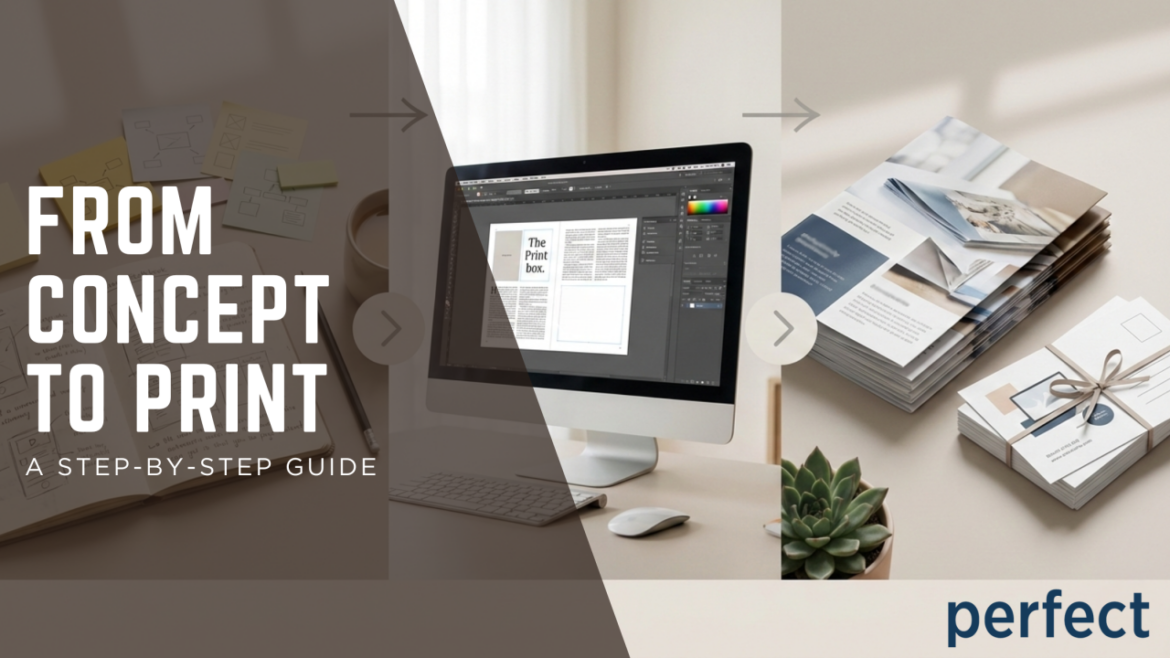
    From Concept to Print: A Step-by-Step Guide

    From Concept to Print: A Step-by-Step Guide

    1024 576 Nick Merola

    Bringing a print project to life is more than just putting ink on paper. From the first spark of an idea to holding the finished piece in your hands, the print process is a collaboration of creativity, strategy, and precision. Whether you’re producing a brochure, direct mail campaign, signage, or branded collateral, understanding each step helps ensure a smooth experience and a high-quality final product.

    Here’s a behind-the-scenes look at how a print project goes from concept to print.


    Step 1: Brainstorming & Defining the Goal

    Every successful print project starts with a clear purpose. Before design or production begins, it’s important to ask:

    • Who is this piece for?
    • What action do we want the audience to take?
    • Where and how will it be used?
    • What is the timeline and budget?

    This early planning stage ensures the project is aligned with your brand and marketing goals. Whether it’s driving event attendance, boosting sales, or increasing brand awareness, clarity upfront saves time and avoids costly revisions later.


    Step 2: Creative Direction & Design

    Once the concept is defined, it’s time to bring the idea to life visually. This is where messaging, branding, and layout come together.

    Key elements considered during design include:

    • Typography and readability
    • Brand colors and imagery
    • Paper size and format
    • Finishes such as coatings, folds, or embellishments

    Designing specifically for print is crucial—color modes, bleed, margins, and resolution all play a role in how the final piece will look. A strong design doesn’t just look good on screen; it’s built to perform in the real world.


    Step 3: Prepress & File Preparation

    Before printing begins, files go through a detailed prepress process to ensure everything is production-ready. This step helps catch issues before they become problems.

    Prepress checks include:

    • Color accuracy and consistency
    • Image resolution
    • Bleed and trim settings
    • Font embedding
    • File formatting

    This stage is all about precision. Small adjustments here can make a big difference in the final quality of the piece.


    Step 4: Choosing the Right Print Method

    Not all print projects are created equal, and selecting the right printing method is essential.

    Depending on the project, factors such as quantity, timeline, and customization determine whether digital, offset, or large-format printing is the best fit. Each method has its own advantages, and choosing the right one ensures efficiency, cost-effectiveness, and top-tier results.


    Step 5: Printing & Quality Control

    This is where the magic happens. Once everything is approved, the project moves into production.

    During printing, quality control is key. Color consistency, alignment, and overall finish are closely monitored to ensure the final product meets expectations. Attention to detail at this stage ensures every piece reflects the brand accurately and professionally.


    Step 6: Finishing Touches

    Finishing is what takes a print piece from good to great. This may include:

    • Cutting and trimming
    • Folding or binding
    • Laminating or coating
    • Foil stamping, embossing, or die-cutting

    These details enhance durability, visual impact, and the overall feel of the piece—often making the strongest impression on the end user.


    Step 7: Delivery & Distribution

    Once complete, the final product is carefully packaged and delivered. For some projects, this also includes fulfillment, mailing, or distribution services to ensure the materials reach the right audience at the right time.

    Seeing the finished product come together is the most rewarding step—proof that a great idea, executed well, makes a lasting impact.


    Bringing It All Together

    From the first idea to the final delivery, the print process is a journey that blends creativity with craftsmanship. When each step is handled with care and expertise, the result is a printed piece that doesn’t just communicate—it connects.

    At Perfect Communications, we guide our clients through every stage of the process, ensuring projects are seamless, efficient, and truly “perfect” from start to finish.

    QR Codes Are Cool Again

    QR Codes Are Cool Again: Bridging Print and Digital in 2025

    1024 576 Nick Merola

    Remember when QR codes first appeared in the early 2010s? They were clunky, required special apps, and felt like a solution in search of a problem. Most people ignored them. Marketers quickly moved on.

    Fast forward to 2025, and QR codes are everywhere. Restaurant menus. Product packaging. Event tickets. Direct mail campaigns. What changed?

    The pandemic accelerated smartphone adoption and normalized QR code usage practically overnight. Now, they’re native to phone cameras. No app downloads. No explanation needed. Just point and scan.

    For print marketers, this shift is a game changer. QR codes finally deliver what they always promised: a seamless bridge between physical and digital experiences.

    Why QR Codes Work Now (When They Didn’t Before)

    They’re frictionless Modern smartphones recognize QR codes instantly through the native camera app. The barrier to entry has completely disappeared.

    They’re familiar Post-pandemic consumers are comfortable with QR codes. They’ve scanned thousands of them for menus, payments, and health checks. The learning curve is gone.

    They’re trackable Unlike traditional print, QR codes provide real-time data. You can track scans, conversions, geographic location, time of day, and device type. Print just became measurable.

    They’re flexible Dynamic QR codes can be updated without reprinting. Change the destination URL, run A/B tests, or extend campaign timelines without wasting printed inventory.

    How Smart Marketers Are Using QR Codes in 2025

    1. Direct Mail That Drives Instant Action

    A casino sends a direct mailer promoting a weekend event. Instead of hoping recipients remember to visit the website later, a QR code takes them directly to the registration page. Conversion happens in seconds, not days.

    Financial services firms use QR codes on statements to drive customers to educational content, loan pre-approvals, or personalized offers based on account activity.

    2. Product Packaging That Tells a Story

    Brands are embedding QR codes on packaging to share origin stories, sustainability credentials, recipes, or user-generated content. It transforms a static package into an interactive experience.

    Luxury goods use QR codes for authentication. Scan the code, verify the product is genuine, and access exclusive content or warranty registration.

    3. Event Invitations With Built-In RSVPs

    Print invitations with QR codes eliminate the “I’ll RSVP later” problem. Guests scan and confirm attendance immediately. Event organizers get real-time headcounts and can send follow-up communications to confirmed attendees.

    Universities use this for alumni events, open houses, and fundraising galas. The QR code links to a personalized landing page where attendees can RSVP, add the event to their calendar, and view event details.

    4. Retail Signage That Converts Browsers to Buyers

    In-store signage with QR codes can direct shoppers to product reviews, sizing guides, or online checkout for out-of-stock items. Physical retail suddenly has the convenience of e-commerce.

    Pop-up shops and temporary installations use QR codes to capture email addresses, offer exclusive discounts, or drive social media follows without requiring staff intervention.

    5. Business Cards That Do More

    Traditional business cards get lost or forgotten. QR codes on cards can link to digital portfolios, LinkedIn profiles, scheduling tools, or personalized video introductions. The card becomes a gateway instead of a dead end.

    Best Practices for QR Codes in Print

    Make them prominent Don’t hide QR codes in tiny corners. Give them visual priority and surround them with white space for easy scanning.

    Tell people what they’ll get Generic “Scan me” CTAs don’t work. Be specific: “Scan to register,” “Scan for 20% off,” “Scan to watch the demo.”

    Test before printing Always test QR codes on multiple devices and in different lighting conditions before going to print. A code that doesn’t scan is worse than no code at all.

    Use dynamic QR codes for flexibility Dynamic codes let you change the destination URL without reprinting. This is critical for campaigns that might need updates or corrections.

    Optimize the landing page for mobile If 100% of your traffic comes from phones, your landing page better be fast and mobile-optimized. Slow load times kill conversions.

    Track and measure Use URL parameters or QR code platforms that provide analytics. Know how many people scanned, when, where, and what they did next.

    The Data Advantage: Making Print Measurable

    For decades, the biggest criticism of print was the lack of trackability. You couldn’t prove ROI the way you could with digital ads.

    QR codes solve that problem.

    Every scan generates data. You know exactly how many people engaged with your mailer, which offers performed best, and where your audience is located. You can calculate cost per scan, conversion rates, and lifetime value of print-acquired customers.

    This data doesn’t just justify print budgets. It makes print smarter. You can optimize future campaigns based on real behavior, not assumptions.

    Real Results: QR Codes in Action

    A regional healthcare system used QR codes on patient reminder postcards to allow instant appointment rescheduling. Scan rates hit 34%, and no-show rates dropped by 18%.

    A non-profit organization added QR codes to their donation appeals linking to a mobile-optimized giving page. Donation conversion increased by 27% compared to campaigns that required manual URL entry.

    A casino’s reactivation mailer with a QR code linking to a personalized offer saw a 41% redemption rate, significantly higher than their previous email-only campaigns.

    The Future Is Hybrid

    The brands winning in 2025 aren’t choosing between print and digital. They’re integrating both.

    QR codes turn print into a portal. A mailer becomes a gateway to video content, personalized offers, interactive experiences, and measurable engagement.

    Print is no longer static. It’s the first touchpoint in a digital journey.

    And for marketers who understand how to bridge that gap, QR codes aren’t just cool again. They’re essential.


    Ready to add QR codes to your next direct mail campaign? Contact Perfect Communications to learn how we can help you create print that drives digital action.

    How to Prepare Print-Ready Files (Don’t Get Rejected!)

    How to Prepare Print-Ready Files (Don’t Get Rejected!)

    1024 576 Nick Merola

    A Practical Checklist Every Client Should Follow

    Nothing slows down a print project faster than files that aren’t print-ready. Missing bleeds, low-resolution images, incorrect color modes—these small issues can cause delays, added costs, or even full rejections.

    The good news? Most file problems are 100% preventable.

    This guide walks you through a clear, practical checklist to ensure your files move smoothly from design to press—saving time, money, and frustration.


    Why Print-Ready Files Matter

    Print production is precise. Presses are calibrated, materials are sized exactly, and color behaves differently on paper than on a screen. When files aren’t set up correctly, printers must stop production to fix them—or send them back.

    Print-ready files help:

    • Prevent production delays
    • Ensure color accuracy
    • Maintain sharp, professional results
    • Avoid reprint costs

    1. Set the Correct Document Size

    Before you design anything, confirm the final trim size of your piece.

    What to Check

    • Document size matches the finished piece exactly
    • Orientation (portrait vs. landscape) is correct
    • Folded pieces account for panels and folds

    Pro Tip: Always design at 100% scale—never resize at the print stage.


    2. Add Bleed (This Is Non-Negotiable)

    Bleed is the extra image area that extends beyond the trim line to prevent white edges after cutting.

    Standard Bleed Guidelines

    • 0.125” (1/8 inch) bleed on all sides
    • Background colors and images must extend into the bleed area
    • No important content in the bleed zone

    Skipping bleed is one of the most common reasons files get rejected.


    3. Keep Text and Logos in the Safe Area

    The safe area ensures that critical content doesn’t get cut off during trimming.

    Safe Area Rules

    • Keep text and logos at least 0.125”–0.25” inside the trim line
    • Avoid placing small text near edges
    • Account for folds, binding, and die cuts

    If it must be readable, keep it safely inside.


    4. Use the Right Color Mode: CMYK, Not RGB

    Screens use RGB. Printers use CMYK. Designing in the wrong color mode leads to unexpected color shifts.

    Best Practices

    • Set your document to CMYK from the start
    • Use Pantone (PMS) colors only if specified
    • Expect slight color differences between screen and print

    Important: Neon and ultra-bright colors often cannot be replicated in print.


    5. Use High-Resolution Images Only

    Low-resolution images look fine on screens—but blurry in print.

    Image Resolution Checklist

    • Minimum 300 DPI at final print size
    • Avoid screenshots or web images
    • Do not scale small images larger than 100%

    If an image looks slightly fuzzy on your screen, it will look worse on paper.


    6. Include or Embed All Fonts

    Missing fonts can cause text to reflow or substitute incorrectly. Font Safety Options

    · Include all fonts used in creation of the artwork · Always embed fonts when exporting PDFs · Outline fonts only if necessary (Once outlined, fonts can’t be edited—so keep an editable version saved.) · Avoid using system fonts unless approves


    7. Export as a Print-Ready PDF

    PDFs are the industry standard for print production.

    Recommended Export Settings

    • PDF/X-1a or PDF/X-4 (ask your printer which they prefer)
    • Include bleed and crop marks
    • Flatten transparencies if required
    • No security or password protection

    8. Double-Check Before Sending

    Before uploading or sending files, review everything carefully.

    Final Pre-Flight Checklist

    • Spelling and grammar checked
    • Correct phone numbers, URLs, and QR codes
    • Proper page order and orientation
    • No unused layers or hidden elements
    • File name clearly labeled

    A two-minute review can prevent a multi-day delay.


    9. When in Doubt—Ask Before You Design

    The easiest way to avoid problems is to communicate early.

    Ask Your Printer:

    • Preferred file formats
    • Bleed and trim requirements
    • Color expectations
    • Folding and binding specs

    Printers would rather answer questions upfront than fix issues later.


    Final Thoughts: Print Smart, Print Once

    Preparing print-ready files doesn’t have to be complicated—it just has to be intentional.

    Following this checklist ensures:

    • Faster turnaround
    • Fewer revisions
    • Better print quality
    • A smoother overall experience

    When files are set up correctly, everyone wins.


    Want Help?

    If you’re unsure whether your files are print-ready, the Perfect Communications team is always happy to review them before they go to press—saving time, cost, and headaches.

    Download your Print-Ready Files Checklist here: https://perfectcommunications.com/checklist-file-setup/

    How to Integrate Print with Digital Campaigns

    How to Integrate Print with Digital Campaigns

    1024 576 Nick Merola

    Using QR Codes, Landing Pages, and Tracking to Maximize Results

    In today’s marketing landscape, the most successful campaigns don’t choose between print or digital—they use both together. When print and digital are strategically integrated, they reinforce each other, extend campaign life, and provide measurable results.

    Print captures attention. Digital captures data. When combined, they create a seamless customer journey from mailbox to mobile.

    This blog breaks down how to integrate print with digital campaigns, using practical examples of QR codes, custom landing pages, and tracking tools that turn traditional print into a powerful, measurable marketing engine.


    Why Print + Digital Works So Well

    Consumers are overwhelmed with digital ads, emails, and notifications. Print cuts through that noise by being physical, tactile, and personal—while digital provides speed, interactivity, and analytics.

    Together, they:

    • Increase engagement and response rates
    • Extend brand visibility across channels
    • Allow precise tracking and optimization
    • Create a smoother customer experience

    The goal is simple: use print to drive action, and digital to capture and measure it.


    1. QR Codes: The Bridge Between Print and Digital

    QR codes are one of the easiest and most effective ways to connect print materials to digital experiences.

    How QR Codes Work in Print Campaigns

    A QR code printed on a postcard, brochure, poster, or package allows users to instantly access digital content by scanning with their smartphone.

    Smart Ways to Use QR Codes

    • Direct mail → landing page
    • Event signage → registration form
    • Brochure → product demo video
    • Packaging → reorder page or instructions
    • Sales materials → personalized offer

    Best Practices for QR Codes

    • Always include a clear call-to-action (e.g., “Scan to Get Your Offer”)
    • Make sure the destination is mobile-optimized
    • Test the code before printing—every time
    • Track scans using dynamic QR codes

    When done right, QR codes remove friction and encourage instant engagement.


    2. Landing Pages: Where Engagement Turns into Action

    Sending users to a homepage is a missed opportunity. Instead, print campaigns should link to custom landing pages built specifically for the campaign.

    What Makes a Great Print-Driven Landing Page?

    • One clear message that matches the printed piece
    • A single, focused goal (sign-up, download, purchase, RSVP)
    • Minimal navigation and distractions
    • Strong visuals and concise copy
    • Mobile-first design

    Examples of Print-to-Landing-Page Campaigns

    • Postcard campaign → exclusive promotional offer page
    • Flyer → appointment scheduling page
    • Catalog → personalized product recommendations
    • Trade show handout → lead capture form

    Landing pages ensure the experience feels intentional—not random—once the user leaves print and enters digital.


    3. Tracking & Analytics: Making Print Measurable

    One of the biggest myths about print is that it’s “not trackable.” In reality, modern print campaigns can be just as measurable as digital ads

    Tools That Enable Print Tracking

    • Unique QR codes for different audiences or regions
    • Personalized URLs (PURLs) tied to individual recipients
    • UTM parameters for digital analytics platforms
    • Form tracking and conversion pixels

    What You Can Track

    • Number of scans or visits
    • Time spent on landing pages
    • Form completions or purchases
    • Geographic and demographic trends
    • ROI by campaign segment

    This data allows marketers to refine messaging, improve targeting, and justify marketing spend with real performance insights.


    4. Personalization: Where Print + Digital Truly Shine

    Personalized print combined with digital tracking creates a highly relevant experience that drives higher response rates.

    Examples of Personalization

    • Recipient-specific QR codes
    • Personalized URLs (e.g., FirstName.YourBrand.com)
    • Variable data printing matched to digital offers
    • Targeted messaging based on past behavior

    Personalization makes customers feel recognized—and that recognition translates into action.


    5. Real-World Campaign Example

    Scenario: A company sends out a direct mail postcard promoting a limited-time offer.

    Integrated Elements:

    • A bold printed design with a QR code
    • QR code links to a campaign-specific landing page
    • Landing page includes a short form and exclusive discount
    • Tracking measures scans, conversions, and location

    Result: The company can clearly see how many people engaged with the print piece, what actions they took, and how much revenue the campaign generated—turning print into a data-driven channel.


    Final Thoughts: Print Is Stronger When It’s Connected

    Print doesn’t compete with digital—it completes it. When thoughtfully integrated, print becomes the entry point to deeper digital engagement, stronger customer relationships, and measurable marketing success.

    The most effective campaigns today:

    • Capture attention offline
    • Drive action online
    • Measure performance continuously

    If your print isn’t connected to digital, you’re leaving value on the table.

    EZ PERFECT | The smarter way to automate direct mail

    EZ Perfect: Making Direct Mail Faster, Easier, and Smarter

    1024 576 Nick Merola

    In today’s fast-paced marketing world, timing is everything. Whether you’re welcoming new members, reactivating past players, or promoting ongoing offers, your direct mail campaigns need to move quickly — without sacrificing quality or consistency.

    That’s where EZ Perfect comes in.

    Developed by Perfect Communications, EZ Perfect is a streamlined automation platform designed to make recurring direct mail programs faster, easier, and smarter from start to finish.


    What Is EZ Perfect?

    EZ Perfect takes the guesswork — and the wait time — out of traditional print production. It’s built for recurring campaigns that require regular updates but minimal layout changes, such as:

    • New Member Welcome Mailers
    • Inactive Player Offers
    • Bounce-Back Promotions
    • Monthly or seasonal direct mail programs

    With EZ Perfect, you can launch new campaigns in record time, keeping your marketing consistent and on schedule.


    How It Works

    1️⃣ Start with a Standard Template Choose from a variety of postcard and folded self-mailer designs. Your layout remains consistent — simply update offers and images as needed.

    2️⃣ Upload Your Data Pull your latest list weekly, monthly, or as often as your campaign demands. Drop your data file directly into the EZ Perfect platform.

    3️⃣ Automated Proofing Within just 20–30 minutes, your PDF proofs are ready to view, share, and approve online. No waiting, no back-and-forth emails, and no production delays.

    4️⃣ Direct-to-Print Once approved, your project moves straight into production. It’s that simple — no bottlenecks, no missed deadlines.


    Why Marketers Love EZ Perfect

    EZ Perfect isn’t just about automation — it’s about making your workflow work smarter.

    ✅ Speed: Cut your proofing time from days to minutes. ✅ Efficiency: Ideal for “set it and forget it” campaigns. ✅ Flexibility: Swap in new offers or creative without rebuilding layouts. ✅ Consistency: Maintain your brand’s look and feel every time.

    With EZ Perfect, you get reliable, data-driven results — proofed, approved, and printed in less than 30 minutes.

    Ready to Simplify Your Next Campaign?

    If you’re ready to make your direct mail process faster, easier, and smarter, it’s time to experience the power of EZ Perfect.

    Contact Perfect Communications at 856.787.1877 or visit perfectcommunications.com to get started today.

    The Psychology of Print | How colors and finishes influence buyers

    In today’s digital-first world, it’s easy to assume that print is fading into the background. But the truth is, print continues to be one of the most powerful tools for influencing customer perception and behavior.

    1024 576 Nick Merola

    In today’s digital-first world, it’s easy to assume that print is fading into the background. But the truth is, print continues to be one of the most powerful tools for influencing customer perception and behavior. Why? Because print is tangible, memorable, and—when designed with purpose—emotionally persuasive.

    At the heart of print’s impact lies psychology. The colors you choose and the finishes you apply don’t just make your materials look attractive—they affect how your audience feels and how they act. Let’s break down why that matters for your business.


    The Psychology of Color in Print

    Color isn’t just decoration; it’s communication. Each shade tells a story and sparks an emotion.

    • Red → urgency, energy, passion. Perfect for promotions, sales flyers, or call-to-action postcards.
    • Blue → trust, stability, professionalism. Ideal for corporate brochures or healthcare communications.
    • Green → growth, sustainability, balance. A go-to for eco-friendly brands and financial institutions.
    • Yellow → optimism, warmth, attention-grabbing. Works well for highlighting offers or drawing eyes to key details.
    • Black → sophistication, authority, luxury. Often used in premium packaging and high-end product catalogs.

    Pro Tip: Use color intentionally. A luxury brand might pair black with gold foil for prestige, while a playful brand could lean into bright, bold palettes to spark excitement.


    The Role of Finishes: Adding Texture & Impact

    If color speaks to the eye, finishes speak to the hand—and the brain responds. Studies show that tactile experiences improve memory recall, which means the feel of your printed piece can influence how well customers remember your brand.

    • Gloss Finish → sleek, modern, and eye-catching. Great for photos and marketing materials where vibrancy matters.
    • Matte Finish → subtle, sophisticated, and smooth. Perfect for upscale brochures or business cards where elegance counts.
    • Spot UV Coating → draws attention to specific elements like a logo or tagline, making them pop.
    • Embossing/Debossing → creates a tactile impression that elevates a brand’s perceived value.
    • Foil Stamping → metallic finishes that suggest luxury and exclusivity.

    Example: A fundraising gala invitation with embossed lettering and gold foil won’t just be read—it’ll be kept.


    Why This Works: Tying Design to Results

    When customers hold a beautifully printed piece in their hands, they’re engaging multiple senses at once. This sensory experience:

    • Increases brand recall.
    • Signals quality and credibility.
    • Creates an emotional connection.

    In fact, research from neuromarketing studies shows that people process print materials with deeper emotional engagement than digital ads. That emotional response translates into action—whether that’s making a purchase, attending an event, or calling your business.


    How to Use This for Your Next Project

    • Define the emotion you want your piece to evoke. (Trust? Excitement? Exclusivity?)
    • Select a color palette that supports that emotion.
    • Choose finishes that align with your brand identity and audience expectations.
    • Test and refine—sometimes the smallest change in finish or color can shift perception.

    Final Thought

    At Perfect Communications, we believe print isn’t just ink on paper—it’s an experience. By understanding the psychology of color and finishes, you can transform ordinary print pieces into powerful tools that inspire, persuade, and convert.

    Ready to bring your brand’s story to life? Let’s talk about your next print project.